
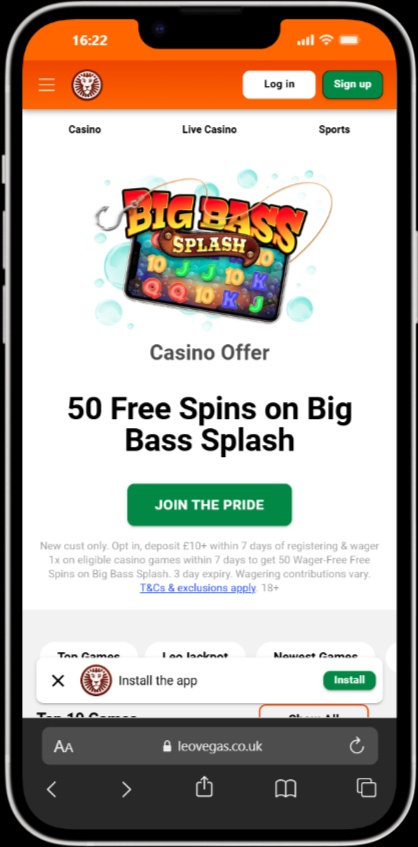
Mobile slots apps give players entry to the same reel games available on desktop sites, LeoVegas Casino, but they bring their own considerations around installation, device performance, and connectivity. The interface has to fit smaller screens and touch controls, so the layout and the sequence of actions vary from the browser version. Anyone deciding between installing an application or staying with the web browser must examine download steps, operating-system requirements, in-app features, data use, and long-term maintenance. The sections below cover these points so readers can weigh concrete details instead of marketing claims.
Deployment and Update Procedures on Mobile Devices
Most mobile slots applications are delivered through the operating system’s official storefront rather than a direct transfer from a website. On Android devices, users access the Play Store, search for the operator’s app, and tap install. The store verifies the developer signature before sending the package. On iOS devices, the process runs through the App Store, which conducts a similar inspection and may request for a device passcode or biometric confirmation. Once the file arrives the handset, the operating system positions the icon on the home screen or app drawer. The first launch initiates an extra permission prompt for storage or notifications. Updates use the same path: when a new version becomes available, the store informs the user and deploys the revised package without requiring for login credentials again. Sideloading, the manual installation of an APK file from the operator’s site, works on Android but bypasses the store’s security checks. Users must turn on installation from unknown sources in the system settings. Because each update can alter security protocols or game files, the store route generally lowers the chance of receiving corrupted or altered packages.
After the first install, the application may prompt users to download extra game-asset packs before the full library shows. These packs can range from 50 MB to 150 MB each and sit in a dedicated cache folder that the operating system can clear when storage gets tight. Players who hop between several operators will notice that each application holds its own cache, so total storage use increases with the number of installed clients. To ease this load, some applications offer a “lite” mode that loads assets only when needed instead of storing them locally, though this mode boosts data use during the first play session of any new title. Players who move often should check whether the application supports offline authentication. A cached login token enables the reels to spin without an immediate network verification, which helps when roaming charges apply or when coverage fades.
Disk Usage and Speed Effect
Each added software takes space for its primary files, saved game resources, and saved user settings. A slots application with fifty titles can surpass 250 MB once all icons and audio files are saved, and more titles push the total higher. On devices with limited internal storage, players may must uninstall unused applications or move media files to external memory if the handset allows adoptable storage. Performance-wise, the application runs in its own process and can arrange background tasks such as balance refreshes or promotional pop-ups. These tasks utilize CPU cycles and maintain the wireless radio active, which can shorten battery life during long sessions. Users who observe excess heat or quick battery drain can restrict background activity through the device’s battery-optimisation menu or turn off non-essential notifications inside the application’s settings screen.
Over weeks of regular play, temporary files such as crash logs and analytics caches gather and can multiply the initial footprint. Deleting these files through the application’s maintenance menu recovers several dozen megabytes without altering login credentials or game progress. On devices that support external SD cards, players can move the cache directory, though some operators restrict this option for security reasons. Battery impact varies by chipset: flagship processors with dedicated AI accelerators manage reel animations more efficiently, while mid-range chips may consume more power to sustain the same frame rate. Reviewing the handset’s built-in battery-usage statistics aids show whether the slots application drains reserves faster than other entertainment apps.
Safety Protocols and Account Protection on Handheld Devices
App developers use encryption at the transport layer for every piece of data shared between the device and the provider’s servers, the identical HTTPS standard employed by the desktop site. In addition, the mobile application can apply a briefer session limit than the browser version, automatically logging the user out after a period of inactivity to limit exposure if the device is left unattended. Several applications connect to the phone’s protected area to store authentication tokens, minimizing the necessity to transmit credentials during every startup. Players must still turn on the device passcode or face recognition, because an unsecured phone allows physical entry to cached data even when the application itself is encrypted. 2FA, when offered, can be configured to provide codes through a dedicated verification tool rather than SMS, diminishing SIM-swap attacks. Checking these options within the application’s security menu before making a deposit helps confirm that the selected security tier matches the account balance’s worth.
Device-rooting or jailbreaking voids many of the application’s built-in protections because altered software can eavesdrop on secure communications or inject malicious overlays. Operators therefore reserve the option to reject payouts if digital investigation shows a compromised handset. Customers who count on public Wi-Fi should look into turning on the app’s VPN switch, which sends information through an encrypted tunnel before it gets to the carrier’s systems. Although this adds minor lag, it stops man-in-the-middle attacks that are more likely on unsecured connections than on cellular data. Finally, regular review of approved devices displayed on the account dashboard lets customers to revoke access from any device that is stolen, sold, or temporarily lent to a different individual.
Application Features That Differ From the Desktop Site
The mobile interface fits the lobby into a vertically scrolling grid, so players can browse through categories without opening multiple browser tabs. Touch gestures substitute for mouse hover states: a long press on a game icon often displays a quick-launch menu, while a left-to-right swipe on the balance bar opens transaction history. Many applications add biometric authentication, letting players approve withdrawals or large bets with a fingerprint scan instead of typing a password each time. Push notifications, unavailable on the desktop site, can alert users when a tournament lobby opens or when a personal deposit limit nears. The application may also save the last-played game state locally, allowing an immediate return to the same reel position after an interrupted session, whereas the browser version usually refreshes the entire game client. These differences accelerate repeated actions but require users to give device permissions that are unnecessary when accessing the site through a browser.
Another difference is the inclusion with mobile payment services. Applications can use the handset’s native wallet APIs to finish deposits without opening an external browser window, cutting both latency and the risk of interrupted transactions. Haptic feedback can be turned on to give subtle vibration cues when a bonus round triggers, an option missing from desktop play. Some titles also provide a picture-in-picture mode that keeps a miniature reel visible while the user checks email or messaging apps, although regulators in certain jurisdictions forbid this overlay to stop simultaneous gambling and non-gambling activity. Players should check the permission list during installation to see which device features the application plans to access.
Data Consumption and Network Considerations

Loading reel animations and adjusting real-time balance figures consumes mobile data if the handset is not on Wi-Fi. A single hour of continuous play with standard-definition graphics can consume between 40 MB and 80 MB, based on the title’s complexity and if audio is enabled. Apps that preload the next set of reels in the background can lower perceived latency but raise total data volume. To limit consumption, most applications include a settings toggle that lowers animation quality or turns off autoplay when the device detects a cellular connection. Gamers who regularly approach monthly data caps can arrange downloads of game-asset packs over Wi-Fi only, ensuring that later sessions depend on locally stored files. In regions where network coverage changes, the application should stop play and present a reconnection prompt rather than ending the session, protecting any in-progress bets from being lost.
Network-type detection is not always accurate. Some handsets mislabel Wi-Fi hotspots as cellular, activating the data-saving mode even when unlimited broadband is available. Customers can override this behaviour in the application’s advanced settings, but that requires manual intervention each time the network profile changes. Latency also varies by carrier. 5G connections often offer sub-20-millisecond response times that make bonus rounds feel instant, whereas older 4G networks may create noticeable delays between spin initiation and result display. Gamers sensitive to timing can turn on a “quick spin” toggle that reduces reel animations, although this reduces visual feedback and may influence enjoyment for those who like cinematic sequences.
Hardware Compatibility and Operating System Requirements
Application publishers provide minimum and recommended specifications so users can verify compatibility before installing. A typical Android build requires Android 7.0 as the baseline, though some graphics-heavy titles may need Android 8.1 or later for stable frame delivery. Screen-size rules usually require at least a 5-inch display at 720 × 1280 pixels. Smaller resolutions can make interface elements too tight for accurate touch control. iOS applications generally declare compatibility from iOS 13 upward, reflecting Apple’s habit of dropping support for older firmware once a new major release gains momentum. Memory recommendations often indicate at least 3 GB of RAM to handle simultaneous loading of game assets and background operations. Devices below these thresholds may still run the application, yet players can face longer load times or lower animation smoothness. Before downloading, users should check their system information panel and verify the listed firmware version and RAM capacity against the published specifications on the operator’s support page.
Processor architecture also has a function. Applications compiled for ARM64 perform smoother on recent handsets, while older ARMv7 binaries may slow frame rates on newer chips that no longer support 32-bit binaries. Users of foldable devices should ensure that the application handles dynamic screen resizing. Otherwise the reels may distort or truncate when the handset switches between folded and unfolded configurations. Beta firmware users sometimes notice that a new operating-system preview compromises the application’s rendering pipeline, forcing a downgrade or a wait for a patched release. Checking community forums before installing a major OS update can avert an unexpected loss of access during a promotional event or tournament.
Ongoing Maintenance and Possible Restrictions
Over consecutive OS updates, an application may become incompatible if the developer does not provide a new build within the vendor’s deprecation window. Players who use older devices should periodically check the store listing for the last supported firmware version. Once support ends, the application may stop opening or may display reduced functionality. Storage accumulation from cached assets can also hurt performance on devices with slower flash memory, prompting the need for periodic cache clearing through the application’s maintenance menu or through the operating system’s storage settings. Furthermore, certain regulatory jurisdictions oblige operators to disable specific game categories or jackpot pools for mobile users, meaning the mobile catalogue can diverge from the desktop offering without prior notice. Monitoring release notes available within the application or on the operator’s support site allows users to foresee these updates and manage expectations accordingly.
Another prolonged factor is the operator’s policy on application retirement. When a new native client replaces an older one, users may be required to migrate account data or accept a temporary suspension of play while the transition completes. Some operators offer a grace period during which both versions remain functional, but others enforce an immediate cut-over that can coincide with scheduled maintenance windows. Players who maintain multiple operator accounts should therefore set a calendar reminder to verify compatibility after each major OS release. By staying proactive, users reduce the risk of discovering an incompatibility only when attempting to claim a time-limited bonus or enter a late-stage tournament.
Assessing the benefits and cons of a mobile slots app ultimately relies on how often a player aims to employ the offering, the technical requirements of the handset, and the importance given to capabilities such as fingerprint login or push notifications. Individuals who commute regularly and appreciate one-tap entry may accept the installation burden and data factors, whereas those who gamble only occasionally may opt for the browser version to sidestep managing another application. Before committing, users should verify that their device satisfies the stated specifications, review the permission list presented during installation, and ascertain that the operator’s current terms align with their preferred deposit and withdrawal methods. Following these steps minimizes the probability of unexpected interruptions and ensures that the chosen access method keeps meet performance and security standards over time.